

Documentation Index
Fetch the complete documentation index at: https://invopop-kill-invoicexpress.mintlify.app/llms.txt
Use this file to discover all available pages before exploring further.
Introduction
KSeF (Krajowy System e-Faktur) 2.0 is Poland’s mandatory national e-invoicing system operated by the Ministry of Finance. The system uses the FA(3) XML schema format for structured invoice data and provides real-time clearance for all B2B invoices. Invoices are encoded in FA(3), a strict XML format that enforces standardized fields for domestic and cross-border transactions. The KSeF system validates all submitted invoices in real-time and assigns a unique KSeF ID upon successful clearance. This guide covers three key processes:- Party registration: Registering suppliers in the KSeF system
- Invoice issuance: Creating and sending FA(3) invoices through KSeF
- Invoice import: Importing received invoices from KSeF
- Send only: You issue invoices through KSeF on behalf of your suppliers. This is the simplest setup and does not require the Cron app or import/sync workflows.
- Send & receive: In addition to sending, you also want to automatically import invoices received by your suppliers from KSeF. This requires the Cron app to periodically check for new invoices.
| Component | Send only | Send & receive |
|---|---|---|
| Poland app | ✓ | ✓ |
| Cron app | — | ✓ |
| Send invoice workflow | ✓ | ✓ |
| Import invoice workflow | — | ✓ |
| Sync invoices workflow | — | ✓ |
| Registration workflow | Send | Send & receive |
| - | Sandbox | Live |
|---|---|---|
| Supplier | Fake NIP allowed (test mode); real NIP needed for demo mode | Valid NIP and KSeF portal credentials required |
| Mode | Defaults to test; demo available via config | Automatically targets KSeF production |
Prerequisites
To issue invoices through KSeF, you will need:| Environment | Requirements |
|---|---|
| Invopop Sandbox Test mode | Test Polish Tax ID (NIP) You can generate fake NIPs for testing at http://generatory.it/. In test mode, a self-signed certificate will be generated automatically, and you can start sending invoices immediately. |
| Invopop Sandbox Demo mode | Real Polish Tax ID (NIP) and credentials to access the KSeF Demo Portal Demo mode follows the same registration process as production but operates in the demo environment. |
| Invopop Live | Valid company NIP and credentials to access the KSeF Portal You will need to generate a certificate through the KSeF portal. Registration will automatically target the KSeF production environment. |
Setup
All of the following steps must be carried out from the Invopop Console. If you only need to send invoices, you can skip the steps marked as “receive only”.Connect the Poland app
- Navigate to Configuration → Apps
- Find Poland in the app discovery list
- Click Connect to activate
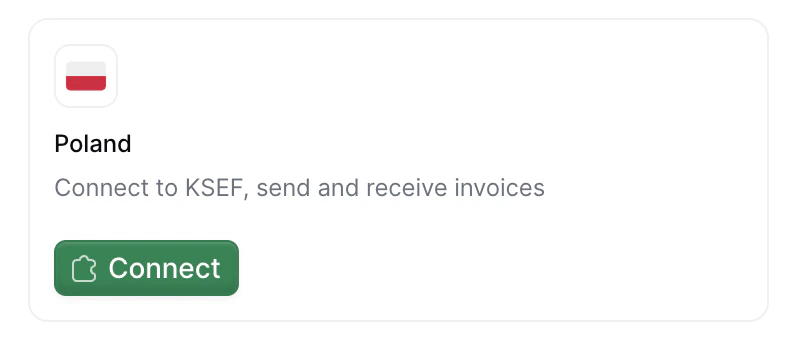
Connect the Cron app (receive only)
- Navigate to Configuration → Apps
- Find Cron in the app discovery list
- Click Connect to activate
Configure invoice sending workflow
- Template
- Code
- Build from scratch
KSeF send invoice workflow
Signs and converts the GOBL document into the FA(3) XML format and sends it to KSeF.
Configure invoice import workflow (receive only)
This workflow imports individual invoices from KSeF when they are received. It is automatically triggered by the sync workflow for each invoice found.
- Template
- Code
- Build from scratch
KSeF import invoice workflow
Imports a received invoice from KSeF and converts it to GOBL format.
Configure invoice sync workflow (receive only)
This workflow syncs all received invoices for a party within a specific time range. It creates import jobs for each invoice found.Configure the Sync received invoices from KSeF step to reference the import workflow you created in the previous step. The sync workflow will create a job for each invoice and send it to the import workflow.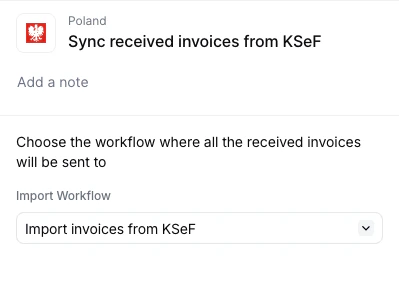
- Template
- Code
- Build from scratch
KSeF sync received invoices workflow
Creates import jobs for each received invoice of a party in KSeF.
Configure party registration workflow
There are two registration workflow templates depending on your use case: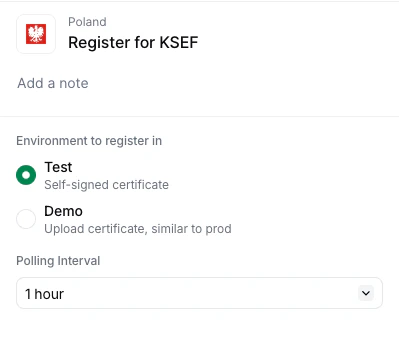
- Send only: Registers the party in KSeF so you can issue invoices on their behalf. Does not require the Cron app.
- Send & receive: Registers the party and subscribes them to periodic invoice imports via the Cron app. Requires the import and sync workflows configured in the previous steps.
- Test: Self-signed certificate generated automatically, no manual steps required
- Demo: Requires manual certificate generation from the demo portal.
Test is more convenient while Demo is more accurate simulating the production environment. It is convenient to create two workflows configured differently to easily switch between the Demo and Test options.
Send only
Use this template if you only need to send invoices through KSeF.- Template
- Code
- Build from scratch
KSeF party registration workflow (send)
Registers a party (supplier) with the KSeF system for sending invoices.
Send & receive
Use this template if you also need to receive invoices from KSeF. This template includes a Cron subscription step that periodically triggers the sync workflow to check for new invoices.- Template
- Code
- Build from scratch
KSeF party registration workflow (receive)
Registers a party (supplier) with the KSeF system and subscribes them to periodic invoice imports.
Running
In this section, we’ll provide details on how to register parties (suppliers) and issue invoices on their behalf.Register a party for test environment
Choose test mode when you want to quickly test the KSeF integration without dealing with real certificates or authentication. Certificates are generated automatically, allowing you to start sending invoices immediately without any manual certificate generation.
Create the party
In the Invopop Console, navigate to Parties → Suppliers and click + New Supplier.Use fake Polish Tax IDs (NIP) generated from http://generatory.it/:Click Build, ensure there are no errors, and click Save.
Register a party for demo/production environment
In sandbox workspaces, choose Demo mode when you want to simulate the real production flow with KSeF authentication in a safe demo environment.
Create the party
Use real Polish Tax IDs (NIP) with access to the KSeF Demo Portal or KSeF Portal:Click Build, ensure there are no errors, and click Save.
Run the workflow
On the party details page, click Select Workflow:
- For Demo: Choose your KSeF Register Party (Demo) workflow
- For Production: Choose your KSeF Register Party (Production) workflow
Access the registration link
Get the registration link to begin certificate generation:Your own company
In Console, go to the supplier entry → Meta tab → click the gov-pl.invopop.com link to launch the registration wizard.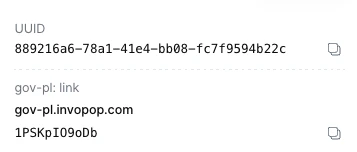
In Console, go to the supplier entry → Meta tab → click the gov-pl.invopop.com link to launch the registration wizard.Add a webhook after the Register Party in KSeF step to receive theSend the
In Console, go to the supplier entry → Meta tab → click the gov-pl.invopop.com link to launch the registration wizard.
In Console, go to the supplier entry → Meta tab → click the gov-pl.invopop.com link to launch the registration wizard.Add a webhook after the Register Party in KSeF step to receive the
siloEntryId.Use the Fetch an Entry endpoint to get the registration link from the meta object:link_url to your customer.Generate a certificate in KSeF portal
The registration wizard will guide you through these steps:
-
Visit the KSeF portal
- Demo: KSeF Demo Portal
- Production: KSeF Portal
- Log in with Trusted Profile (Profil Zaufany)
-
Generate the certificate
- Navigate to certificate generation section
- Enter certificate name and password (save the password!)
- Download the private key (automatically generated)
- Select “Authentication in the KSeF system”
- Set start date to today or earlier (future dates will fail)
- Download the certificate file
- Video tutorial: Certificate generation
Upload certificate to Invopop
There are two ways to upload the certificate:Web Upload (Wizard)
Return to the registration wizard and upload: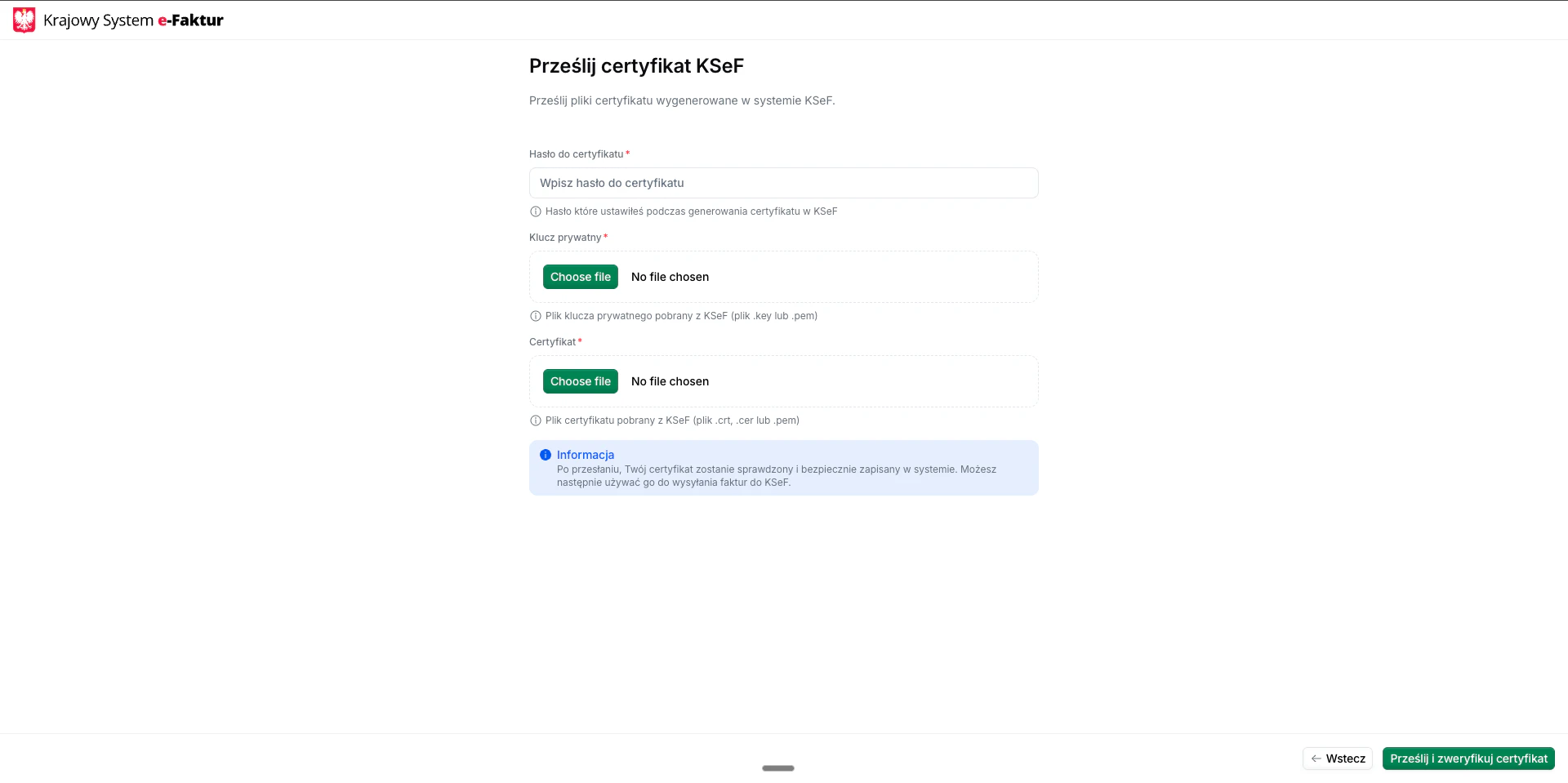
Upload the certificate programmatically using the Upload KSeF certificate endpoint.✓ Success: The supplier transitions to Registered state and can begin issuing invoices.
× Failure: See Why did my supplier registration fail? in Poland’s FAQ.
Return to the registration wizard and upload:
- Certificate file
- Private key file
- Password
Upload the certificate programmatically using the Upload KSeF certificate endpoint.
This approach is ideal for automated integrations where you want to handle certificate generation and upload programmatically without user interaction with the web wizard.
Send an invoice
Once a party is registered, you can issue invoices on their behalf. The following examples show partial GOBL documents you can copy and paste directly into the Invopop Console or store via the API as silo entries.B2B Standard Invoice
B2B Standard Invoice
In this example, we’re issuing a standard B2B invoice from a Polish supplier to another Polish business customer.Notice:
- the minimal version (
ksef-b2b-standard.min.mdx) contains only the essential fields required to create the invoice, - the
pl-ksef-v1addon ensures the document will be validated using the KSeF rules built into the GOBL library, - there are no totals or calculations in the minimal version; all these will be calculated automatically when running
gobl build, - the built version (
ksef-b2b-standard.mdx) shows the normalized document with calculated totals, line item sums, tax breakdowns, and automatically generated fields likei(line index),sum, andtotal, and, - make sure to process it with the “Issue KSeF invoice” workflow created during setup.
B2B Reverse Charge Invoice
B2B Reverse Charge Invoice
In this example, we’re issuing a reverse charge invoice from a Polish supplier to a customer in another EU member state.Notice:
- the customer has a valid EU VAT ID, indicating the transaction is subject to reverse charge mechanism,
- the minimal version contains only essential fields; totals and tax calculations are omitted,
- when running
gobl build, the system automatically calculates totals, applies reverse charge rules, and normalizes the document, - the built version shows all calculated fields including the reverse charge indicator, tax breakdowns, and final totals, and,
- the invoice is validated using the KSeF rules to ensure compliance with Polish e-invoicing requirements.
B2B Credit Note
B2B Credit Note
In this example, we’re issuing a credit note to correct or refund a previous invoice.Notice:
- the
typefield is set tocredit-noteto indicate this is a corrective document, - the
precedingfield references the original invoice being corrected, - the minimal version contains only the essential fields; calculations are handled by GOBL,
- when running
gobl build, the system automatically calculates negative totals, tax refunds, and validates the credit note structure, - the built version shows all calculated fields including negative amounts for the refund, and,
- the document is validated using the KSeF rules to ensure compliance with Polish credit note requirements.
B2B Prepayment Invoice (Faktura Zaliczkowa)
B2B Prepayment Invoice (Faktura Zaliczkowa)
In this example, we’re issuing a prepayment invoice to document an advance payment received before completing the delivery of goods or services.Notice:
- the
$tagsfield includespartial, which tells the FA_VAT addon to classify this as aZAL(Faktura Zaliczkowa) document type, - the
payment.advancesarray records the advance payment details, including the mandatorydatefield and apercentof the total, - GOBL automatically calculates the advance amount from the percentage and deducts it from the payable total to produce the
dueamount, - the built version shows
"pl-favat-invoice-type": "ZAL"automatically set in the tax extensions, and, - after sending this invoice through KSeF, reference the assigned KSeF number in the subsequent settlement invoice.
B2B Settlement Invoice (Faktura Rozliczeniowa)
B2B Settlement Invoice (Faktura Rozliczeniowa)
In this example, we’re issuing a settlement invoice to finalize a transaction after one or more advance payments have been made.Notice:
- the
$tagsfield includessettlement, which tells the FA_VAT addon to classify this as aROZ(Faktura Rozliczeniowa) document type, - the
precedingfield references the original prepayment invoice, including its KSeF number stamp, - the
payment.advancesarray records the previously paid advance amount, which GOBL deducts from the total to calculate the remainingdue, - the line items represent the full value of the delivered goods or services, and,
- the built version shows
"pl-favat-invoice-type": "ROZ"automatically set in the tax extensions.
B2C Invoice (voluntary)
B2C Invoice (voluntary)
B2C invoices are excluded from the mandatory e-invoicing requirement. The tax authority already receives B2C sales data through online fiscal cash registers that transmit receipts to the Central Repository of Cash Registers (CRK). However, businesses may voluntarily issue B2C invoices through KSeF.
- Click Build to validate
- Click Save to store in the silo
- Click Select workflow and choose the KSeF Send Invoice workflow
- Click Run workflow
For international transactions, the invoice is created and cleared in KSeF just like domestic invoices. Because the foreign recipient cannot log into KSeF, delivery happens outside the platform (via email, EDI, etc.) with the KSeF QR code included for verification.
Import received invoices
This section only applies if you configured the send & receive setup. If you only need to send invoices, you can skip this section entirely.
- Cron scheduling: The Cron app creates a job for the sync workflow at each configured interval, passing the time window (
fromandupto) to process - Sync workflow: The sync workflow queries KSeF for all invoices received within the time window
- Import jobs: For each invoice found, a job is created using your import workflow
- Import workflow: Each job downloads the FA(3) XML from KSeF, converts it to GOBL format, and stores it in your Invopop silo
- Organization: Imported invoices are automatically placed in the configured folder (typically “Invoices · Expenses”) with a
Registeredstate
Each party is subscribed to periodic imports during registration when using the receive registration workflow. To use a different interval for a specific party, adjust the Subscribe to periodic KSeF sync step settings in the registration workflow before running it.
Manual import
If you need to import invoices outside of the automatic cron schedule, you can manually trigger imports from the Console or via the API. Import a single invoice To import a specific invoice from KSeF, you need:- KSeF Number: The unique invoice identifier (e.g.,
1234567890-20260120-ABCD1234-EF) - Supplier NIP: The Polish Tax ID of the invoice issuer
- Console
- API
- Navigate to Workflows and find your KSeF Import Invoice workflow
- Click Run from the workflow editor or the
...menu in the workflow list (see Running from the Console) - Leave the document field empty — the import workflow will create a new silo entry automatically
- Fill in the Arguments:
| Key | Value |
|---|---|
ksef-number | 1234567890-20260120-ABCD1234-EF |
nip | 1234567890 |
- Click Run workflow
- The party silo entry for the supplier whose invoices you want to sync
- The date range (
fromandupto) to process
- Console
- API
- Navigate to Workflows and find your KSeF Sync Received Invoices workflow
- Click Run from the workflow editor or the
...menu in the workflow list - In the Select a document field, search for and select the party (supplier) entry
- Fill in the Arguments:
| Key | Value |
|---|---|
from | 2026-01-01T00:00:00Z |
upto | 2026-01-31T23:59:59Z |
- Click Run workflow
Error handling and notifications
We strongly recommend adding notification steps to your workflows to alert you of import failures:- In the import workflow: Add email or Slack notifications to the error handling section
- In the sync workflow: Add notifications for when the sync process encounters issues
GOBL addon reference
Detailed information about the FA(3)-specific extensions and validations can be found in: You can also use the GOBL Builder to create custom invoices with the Polish regime and FA(3) addon.🇵🇱 Invopop resources for Poland
🇵🇱 Invopop resources for Poland
| Compliance |  Invoicing compliance in Poland Invoicing compliance in PolandCompliance timeline |
| Apps | Poland |
| Guides | Poland Guide |
| FAQ | Poland FAQ |
| GOBL |  Poland Tax Regime Polish KSeF FA(3) Addon Poland Tax Regime Polish KSeF FA(3) Addon |
Poland FAQ
Find answers to frequently asked questions about invoicing in Poland →
Participate in our community
Ask and answer questions about invoicing in Poland →